Track and classify your company’s expenses with
ease
Record and monitor your company’s expenses automatically the moment transactions occur, with smart categorization that simplifies accounting review and financial control.
Track all your company’s expenses in one place with automatic categorization and clear financial reports.
Expense Recording
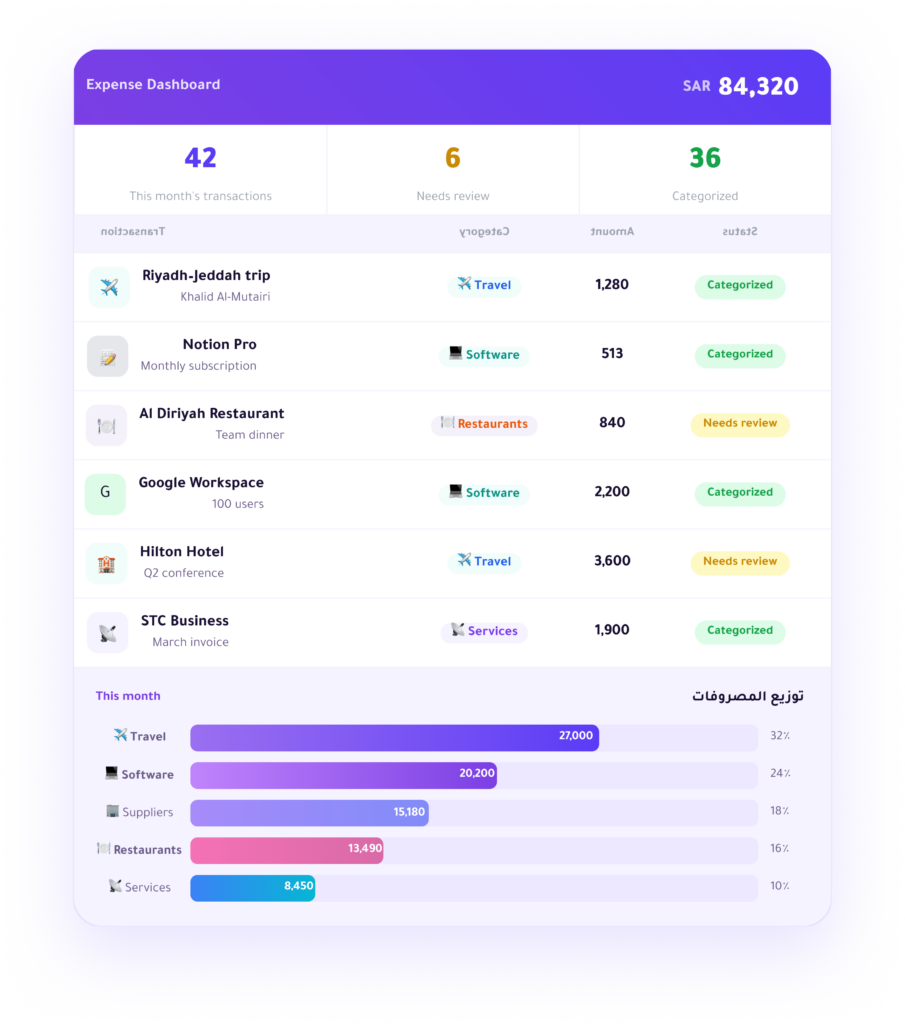
Expenses are recorded automatically as transactions happen—no manual entry required.
Expense Categorization
Transactions are automatically categorized by expense type to simplify review.
Attach Documents
Attach invoices and supporting documents to each transaction and keep them organized.
Transaction Tracking
Monitor expenses in real time with instant notifications.
Key Features
Full control over tracking and categorizing your company’s expenses.
Expense Tracking
Track all your company’s expenses from a single dashboard.
transaction view
Instant visibility
Real-time monitoring
Automatic Categorization
Transactions are categorized automatically to simplify accounting review.
by type
by team
by project
Invoice Attachment
Store all invoices and expense-related documents in one place.
Attach Documents
Organized Records
Upload invoices
Expense Reports
Analyze your company’s expenses easily with clear cost visibility.
Expense reports
Spending trends analysis
Clear cost visibility
Team Tracking
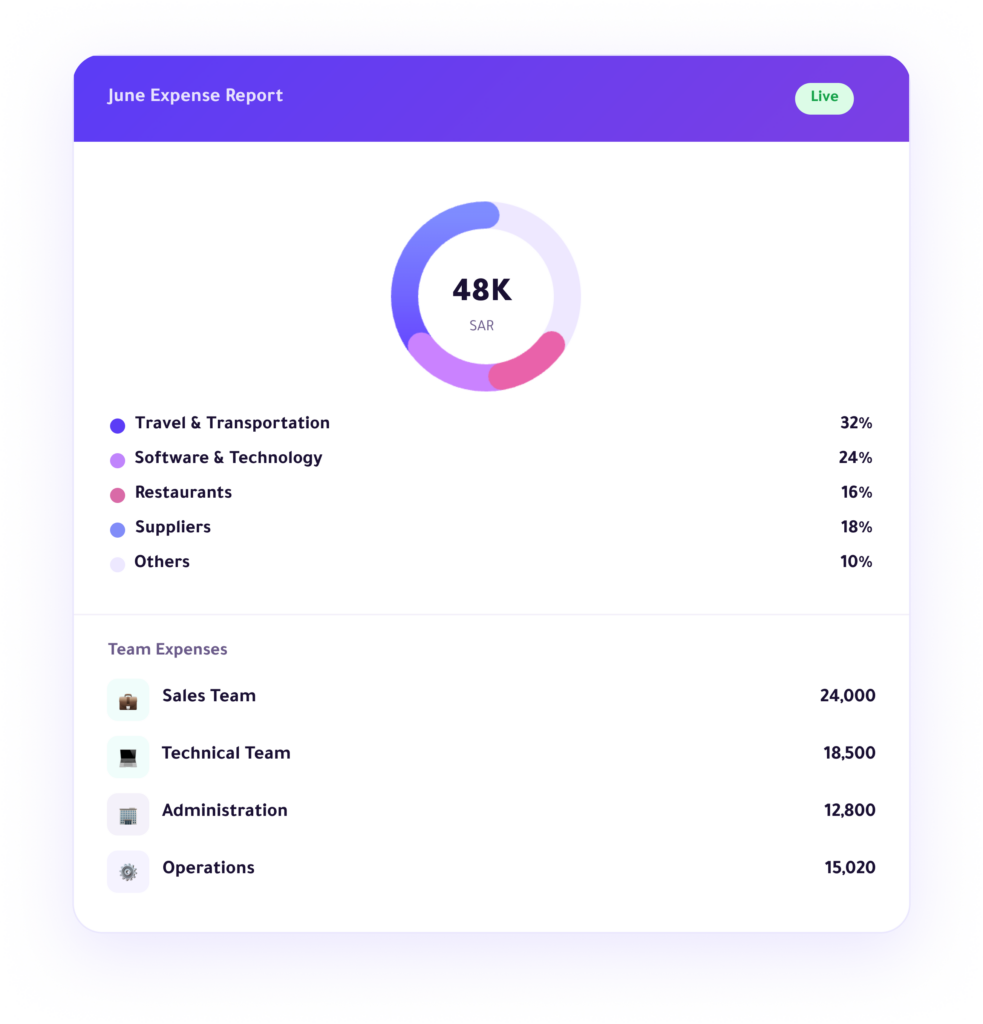
Track expenses across teams, departments, and projects within the company.
Team expenses
Project expenses
Department expenses
Clear Financial Visibility
Gain a deeper understanding of your company’s cash flow with detailed insights.
Expense analysis
Cash flow visibility
Accurate financial reports
Built for Finance Teams
Enfaq helps finance teams track expenses, reduce errors, and improve financial control.
Reduce operational errors
Simplify financial reviews
Improve financial transparency
Error Reduction
Faster Closing
Data Accuracy
Accounting System Integration
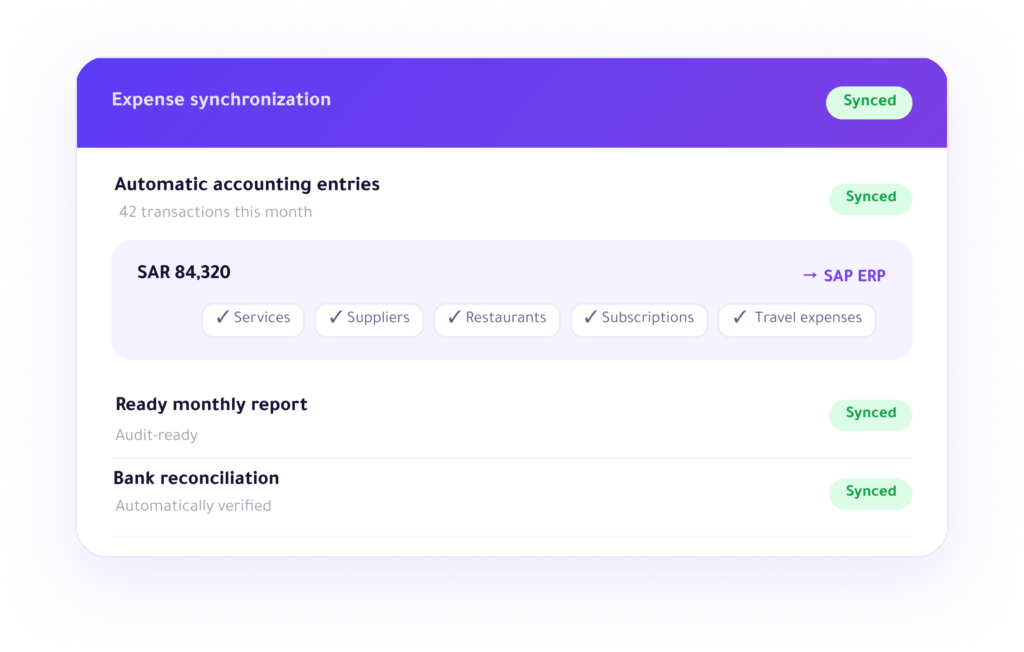
Seamlessly sync expenses and payments with your accounting systems—no manual work required.
Automatic journal entries
Real-time transaction sync
Audit-ready reports
Frequently Asked Questions
Get quick answers to everything you need to know about Enfaq and expense management If you can’t find your answer, feel free to contact us..
Can I create custom expense categories that fit my business activity?
Yes, you can create fully customized expense categories and groups — whether you are in retail, services, or tech. The system adapts to your company structure.
How does the system handle recurring expenses such as monthly subscriptions?
The system automatically detects recurring expenses and continuously classifies them under the same category, with the ability to set fixed rules for each vendor.
Can I add notes or attachments to each transaction?
Yes, you can attach invoices or receipts and add an explanatory note to each transaction — making expense review easier during audits.
Can I set automatic categorization rules based on vendor name or amount?
Yes, you can set smart rules so that any expense is automatically categorized as soon as it is recorded. For example, all Google Workspace payments are automatically assigned to the “Tech Subscriptions” category with no manual intervention required.